Outbound Campaigns
Describe your audience and offer. Prepare personalized sequences, manage replies, and keep the next action in view.
Explore Outbound CampaignsAgentic CRM, outbound and project management
Manage leads, run outbound campaigns, and coordinate client projects from WhatsApp or Slack. EosHQ keeps the records and carries out the work, with approvals where you need them.
For services businesses that win and deliver client work.
Illustrative examples. Available actions depend on your setup and permissions.
Win business
Describe your audience and offer. Prepare personalized sequences, manage replies, and keep the next action in view.
Explore Outbound CampaignsKeep leads, companies, contacts, opportunities, and follow-up together. Ask for context and update records through Chat.
Explore CRM & Sales PipelineDeliver the work
Plan the project, assign the work, and see what needs attention. Your team can ask about deadlines, update tasks, and record time in conversation.
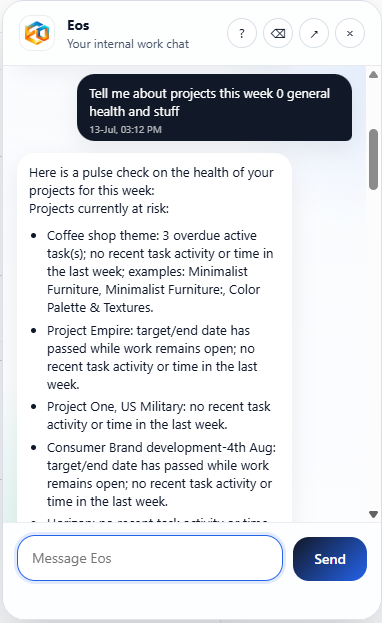
Work through conversation
Get the customer, opportunity, or project context you need. EosHQ asks you to clarify ambiguous records.
Create records, update tasks, log time, and run your organization’s published Agents.
Return to the underlying records, activity, and run history to see the result.
Control and connection
Connected members work within their organization’s permissions. Configure Agents and approval policies around the actions your team wants to delegate.
Explore AI Agents ↗Connect WhatsApp or Slack to EosHQ. Use the web app for setup, visual planning, administration, and detailed review.
Explore EosHQ Chat ↗Your work, in conversation
See how EosHQ handles the next step, keeps the records, and puts you in control.