Read support activity and quality metrics
Insights summarizes retained customer support conversations. Use it to find work to review, not to claim an outcome the system has not established.
Read the page
- Open Customer Support > Insights.
- Check whether the report describes a sample.
- Read waiting, human-owned, closed and linked-ticket counts together.
- Review helpfulness feedback and knowledge gaps.
- Open Quality or the relevant conversation workflow to investigate a pattern.
Private Sidekick conversations are excluded from shared customer activity metrics. Retention can also affect which customer conversations are still available to analyze.
Interpret outcomes carefully
A closed conversation does not prove that an issue was resolved. A created ticket does not prove that a notification email was delivered. Helpful and unhelpful ratings are customer feedback. Customer-reported resolution is separate from independently confirmed resolution.
Do not treat an unavailable cost or outcome as zero. Use the organization's existing token and runtime billing views for usage accounting.
Use a finding
If many customers ask the same unanswered question, review shared evidence and propose an article. If answers are poorly rated, inspect the cited instructions before changing tone or response length.
Check the result
Keep a note of the metric, sample and date when comparing periods. A change in retained data or sample size can change the totals without a matching change in real support demand.
Screen guide
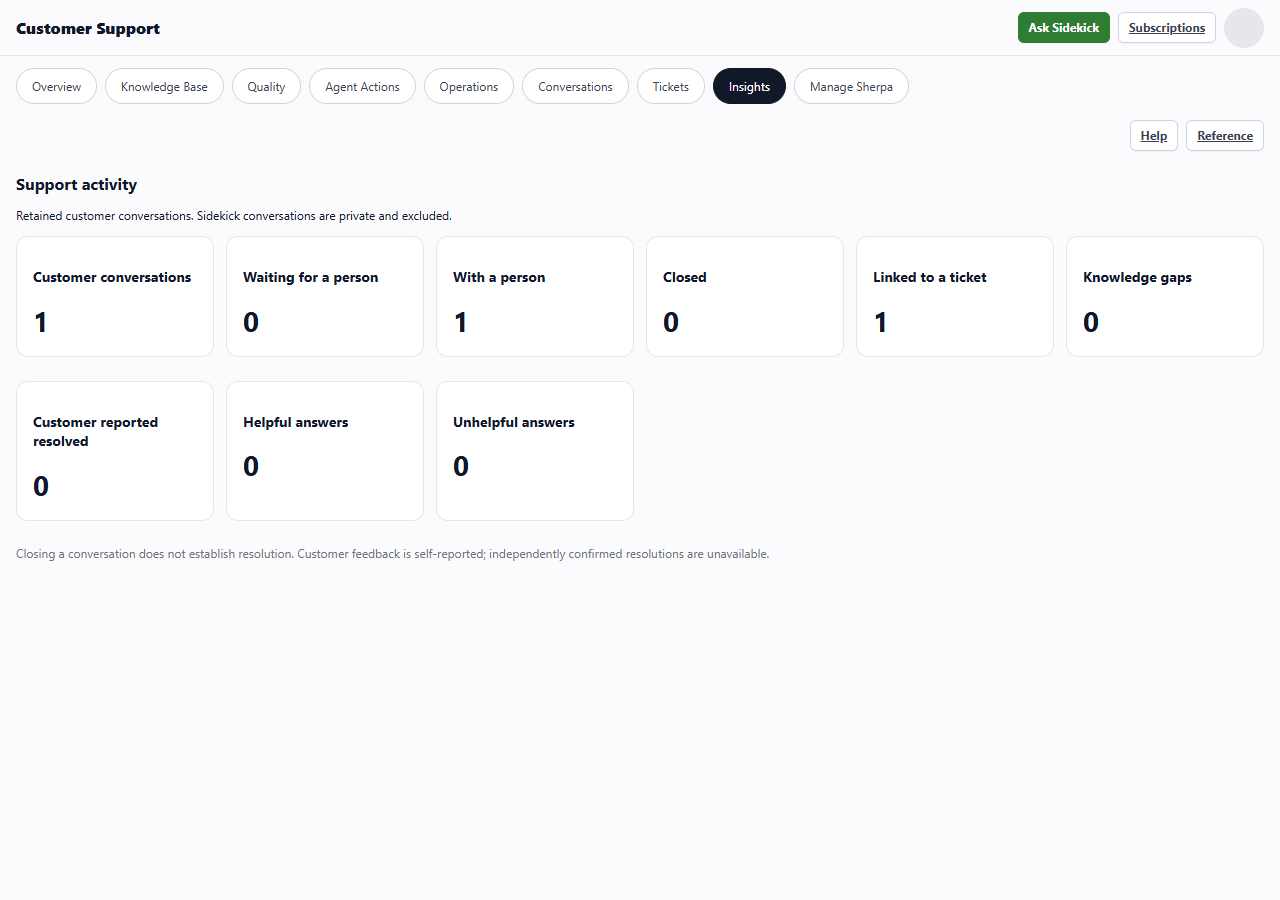
Insights for an example customer conversation.. These images use example data. Values shown are not defaults.
- Waiting and human-owned cards show the current retained work.
- Linked to a ticket shows a relationship. It does not establish resolution.
- Private Sidekick conversations are excluded.